Meta Muse Image explained: what it is and how to use it
 The Marvin Team, Content & Growth·Jul 12, 2026
Meta's Muse Image is a new AI image model that lives inside Meta AI and is rolling into Instagram, so you can generate and edit marketing visuals without leaving the app. It is free for everyday use and works from a plain prompt. Here is what it is, how to use it, and the one thing it does not do for your brand.
What Meta's Muse Image actually is
Muse Image is the first image model from Meta Superintelligence Labs, announced on July 7, 2026. It is live in Meta AI now and rolling out to Instagram, WhatsApp, Messenger, and Facebook, with access for advertisers coming to Meta's Advantage+ creative tools. You type a prompt or sketch directly on an image, and it generates or edits in place. Using it inside Meta AI is free for everyday creation.
The pitch is squarely at marketing. Meta says advertisers will be able to generate ad variations and campaign visuals right where their audience already is. For a solo owner running their own Instagram, that removes a real step: the picture and the post now live in the same place.
What it is genuinely good at
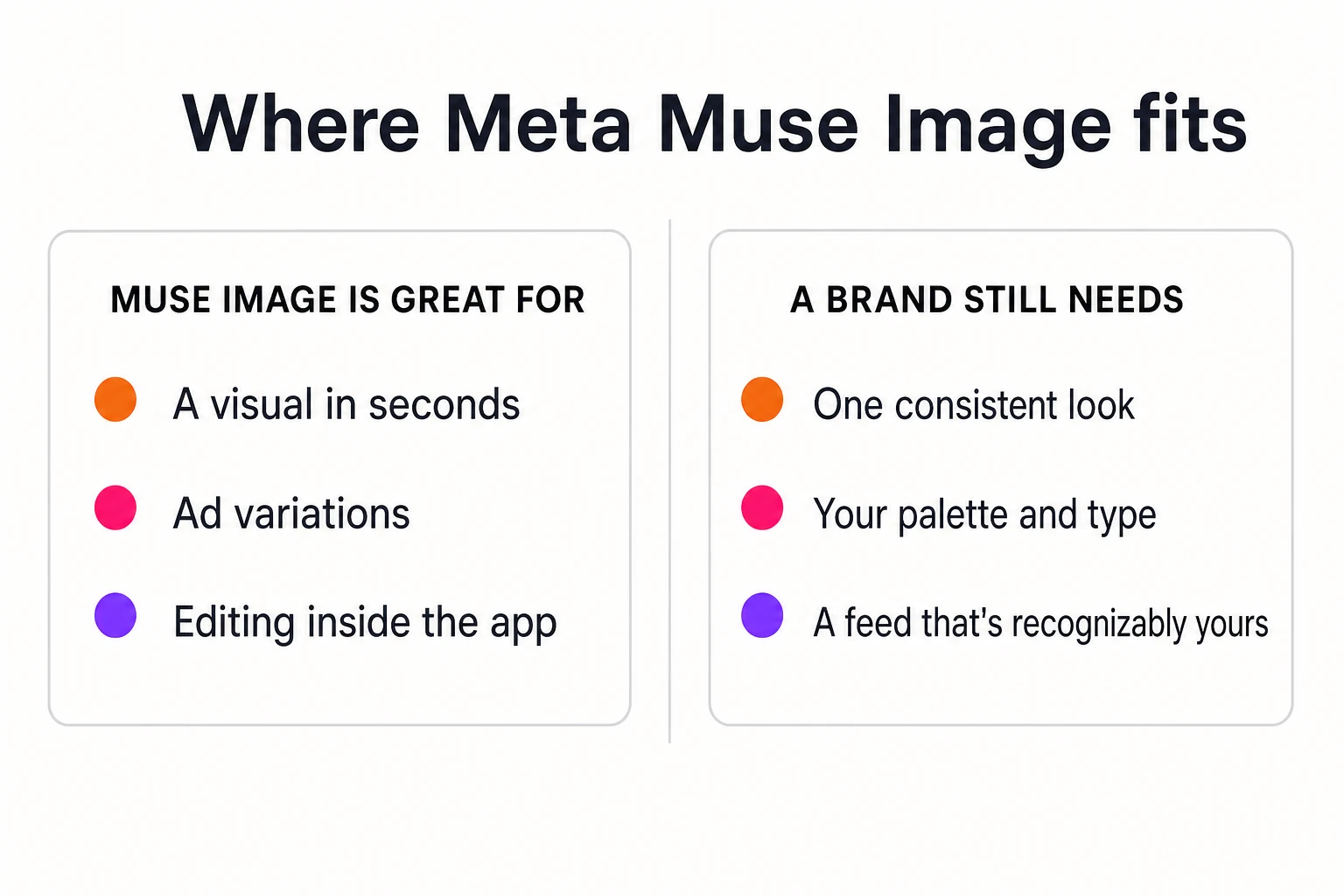
The strength is speed inside the app. You can make a visual in seconds, spin up a few variations of an ad, and edit only part of an image instead of regenerating the whole thing. Meta leans on region-based editing, swap an object, change a background, fix one corner, and on rendering readable text for things like simple infographics.
It is a capable model on paper, too. Early coverage puts it just behind the top general image models on quality while leading some editing tests. For most small-business posts, quality is no longer the bottleneck. Access and speed are solved.
How to use Muse Image
Using Muse Image takes a prompt, not a design tool. You open Meta AI, describe the image you want or start from a photo, then refine it in place. The same flow is rolling out inside Instagram, WhatsApp, Messenger, and Facebook, so creation happens where you already post. In practice it works like this:
1. Describe the image the way you would brief a designer. Name the subject, the setting, the mood, and any words you want on the image. The model renders text well, so dictate the exact wording instead of describing it loosely.
2. Or start from your own photos. Muse Image can blend several photos together, and you can sketch directly on an image to show it what to change. That is the move when you want your actual product in the shot, not a lookalike.
3. Edit the part, not the whole. Ask it to swap an object, change the background, or restyle one region instead of regenerating the full image, so the parts you already like stay put.
4. Keep iterating in the same conversation. It holds context, so "make the lighting warmer" or "try it in our orange" builds on the last version instead of starting over.
5. Review before you post. Check the composition, the spelling of any rendered text, and whether the colors are actually yours. This last step is the difference between fast and on brand, and it belongs to you, not the model.
Where it stops: one image is not a brand
Here is the honest limit. Muse Image is very good at making one visual. It has no idea what your brand looks like across the next fifty. A model that knows your world still does not know that your orange is this orange, that your headlines are set this way, that your captions sound like you and not like everyone else. That memory is what makes a feed recognizable, and it is not in the tool.
This is the same gap that makes so much AI content forgettable. When every business uses the same models with no house style, the output drifts toward a pleasant average that belongs to no one. It matters commercially, as well: Lucidpress found consistent brand presentation can lift revenue by up to 33%, and your feed is the most visible place that consistency either shows up or does not.
How to use it without going off brand
Use Muse Image for what it is good at, and put a standard around it. Keep a short written description of your brand, your colors by name, your type, your tone, and start from that every time. Generate freely, then review each image the way you would judge a stock photo: is the composition right, is the text correct, are the colors yours. If any answer is no, redo it. Generating again is cheap; posting an off-brand image is not.
We wrote up that exact discipline, describing your brand in words, dictating the text, reviewing like stock, in our guide to keeping AI images on brand. It applies to any image model, Muse Image included. The tool changes; the standard is what keeps the output yours.
The pattern behind the news
Muse Image is one move in a bigger shift: image generation is being built into the places you already work, Instagram here, the AI assistants elsewhere. That is good news. It means the model is no longer the hard part, or the thing that sets you apart. When everyone can generate a nice picture in seconds, what distinguishes a small brand is whether its output is consistently, recognizably its own.
That consistency is what we built Marvin to hold, so the visuals you publish look like one brand without you running the machinery. However you make your images, keep the standard in front of the tool, and let the tool serve the brand rather than the other way around. See how Marvin keeps content on brand.
Frequently asked
- What is Meta Muse Image?
- Muse Image is Meta's first in-house AI image model, from Meta Superintelligence Labs, announced July 7, 2026. It generates and edits images from text prompts or sketches, lives inside Meta AI, and is rolling out to Instagram, WhatsApp, and Facebook, with ad-creation access coming to Meta's Advantage+ tools.
- How do you use Muse Image?
- Open Meta AI and describe the image you want, or start from a photo. You can blend photos, sketch directly on an image to direct an edit, and change one region instead of regenerating the whole thing. The same flow is rolling out to Instagram, and everyday use in Meta AI is free.
- Can Meta Muse Image keep my brand consistent?
- Not on its own. It is built to make individual images fast, not to hold a brand system across a whole feed. Keeping your exact palette, type, and voice consistent from post to post is a separate discipline: define your brand in words, start every prompt from it, and review each result against that standard.
- Should small businesses use Meta Muse Image for marketing?
- It is useful for speed, quick visuals, ad variations, and in-app edits without leaving Instagram. Just put a standard around it so the output stays on brand. The model handles the picture; you and your brand rules decide whether it looks like you.